Pan Kotecki, online store
How can a shop stand apart from offerings built on ready-made templates?
An online shop with a configurator for bundles, where shoppers pick a pattern for each part of a set and pay in a form on the shop's page.
- Client
- Pan Kotecki
- Services
- Online stores
- Sector
- E-commerce
- Website
- pankotecki.pl
as of September 2026

The situation before
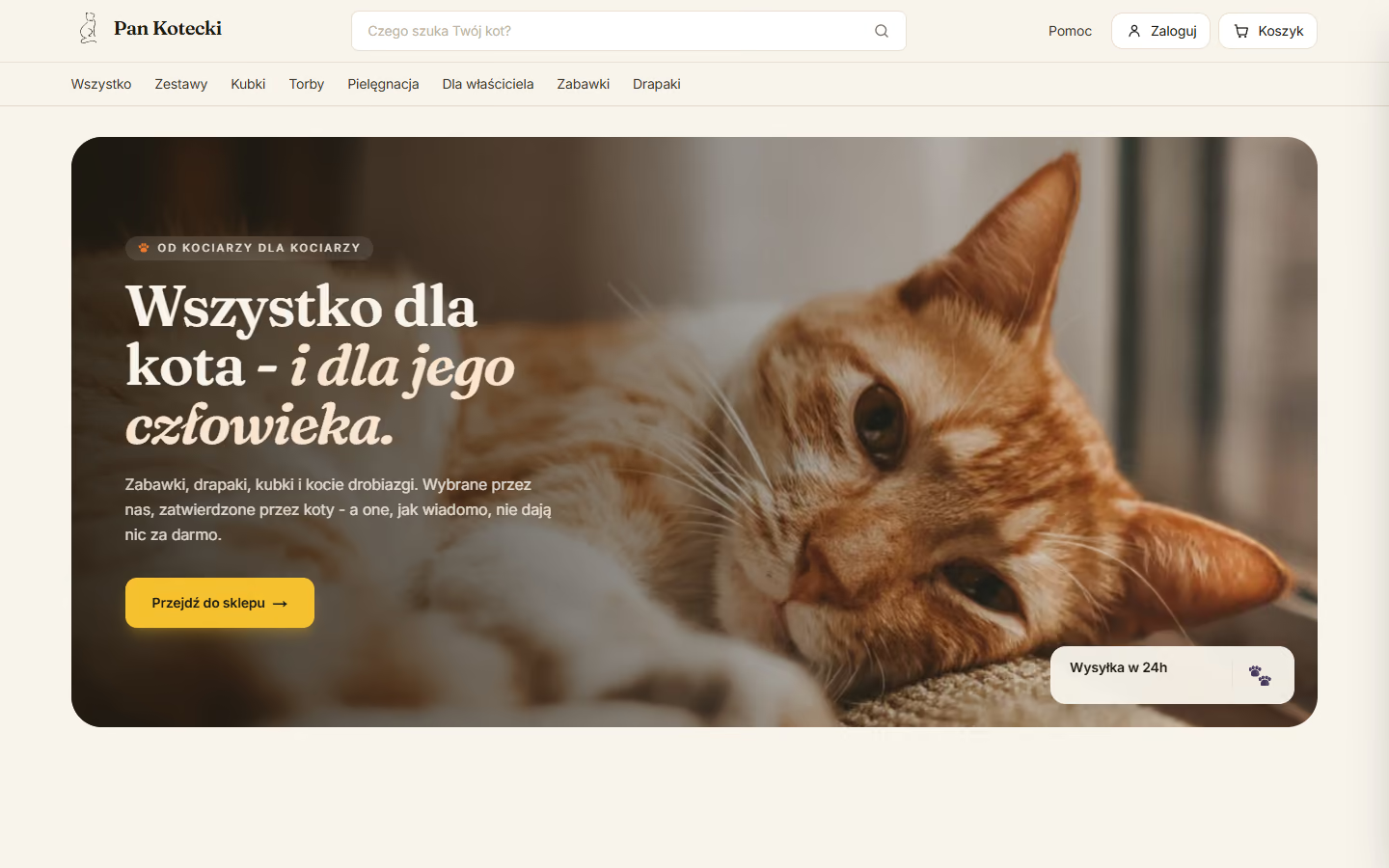
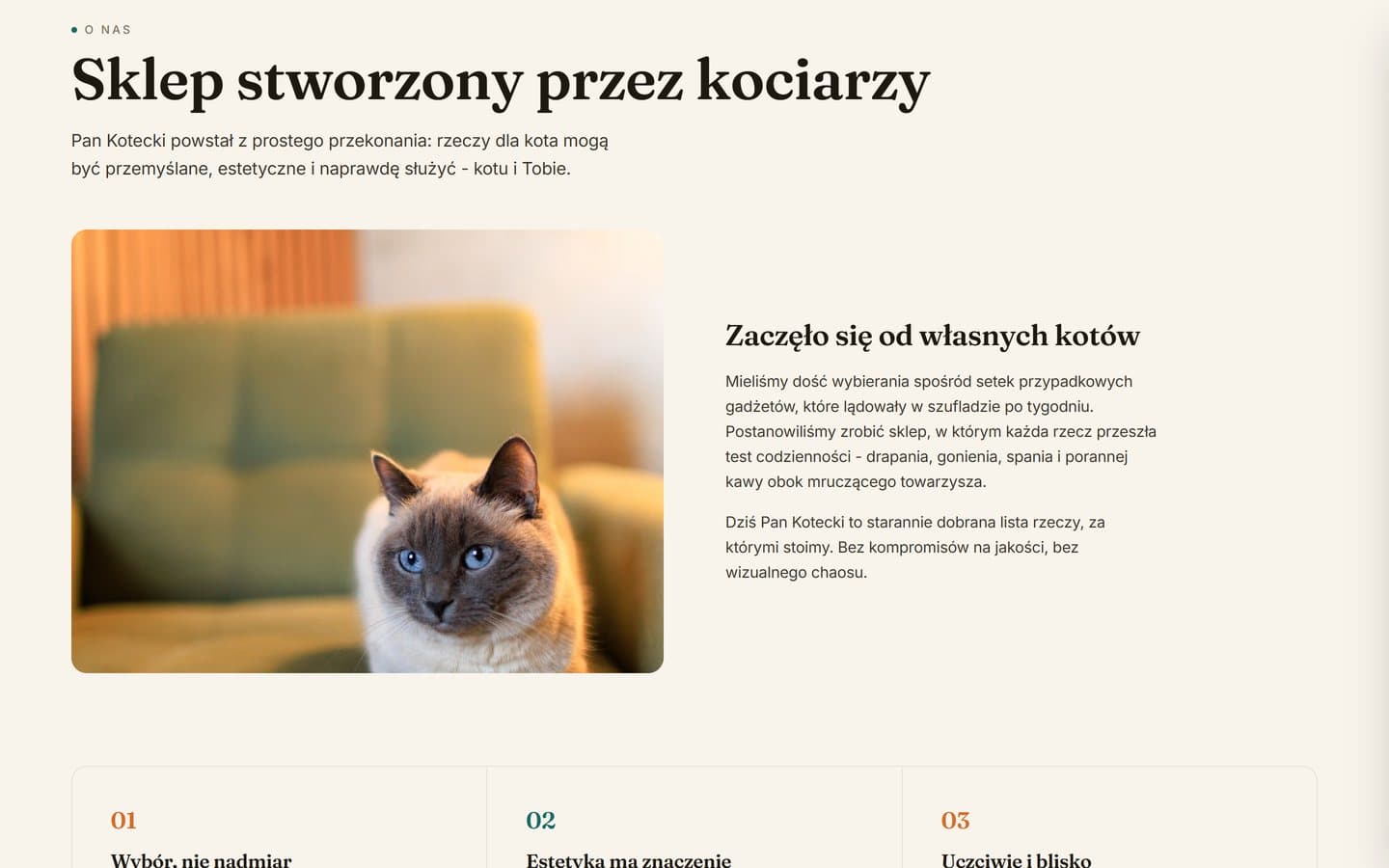
Pan Kotecki sells accessories, toys and small gifts for cats and their owners online. It is a shop owned by the agency's co-owners, and buying and order handling were to take as little manual work as possible.
The commission was a shop with its own visual design, written from scratch with no ready-made platform template. The range was to include bundles that shoppers complete by choosing a pattern for each part. Buying was to work without an account, with payment on the shop's page and delivery to a parcel locker.
On the owners' side, each payment was to update the order status and stock levels were to adjust automatically. The recipient's details were to reach the label without retyping. The shop is managed from an admin app on the phone, which we describe as a project of its own.
Questions the project had to answer
- How can a shop sell bundles that shoppers put together from several products?
- How can card, BLIK and Przelewy24 payments be taken through a form in the shop's own colours?
Scope of work
- Visual design and a shop built from scratch
- Catalogue with filters, sorting and search
- Bundle configurator
- Basket and guest checkout
- Card, BLIK and Przelewy24 payments in the shop
- Lockers on a map, courier and collection
- Stock control at the moment of ordering
- Customer emails, reviews and newsletter
- Deployment on the shop's domain and hosting
Connected services
- Stripe
- BLIK
- Przelewy24
- InPost
- Supabase
- Resend
- Meta Pixel
How we did it
Catalogue and bundle configurator
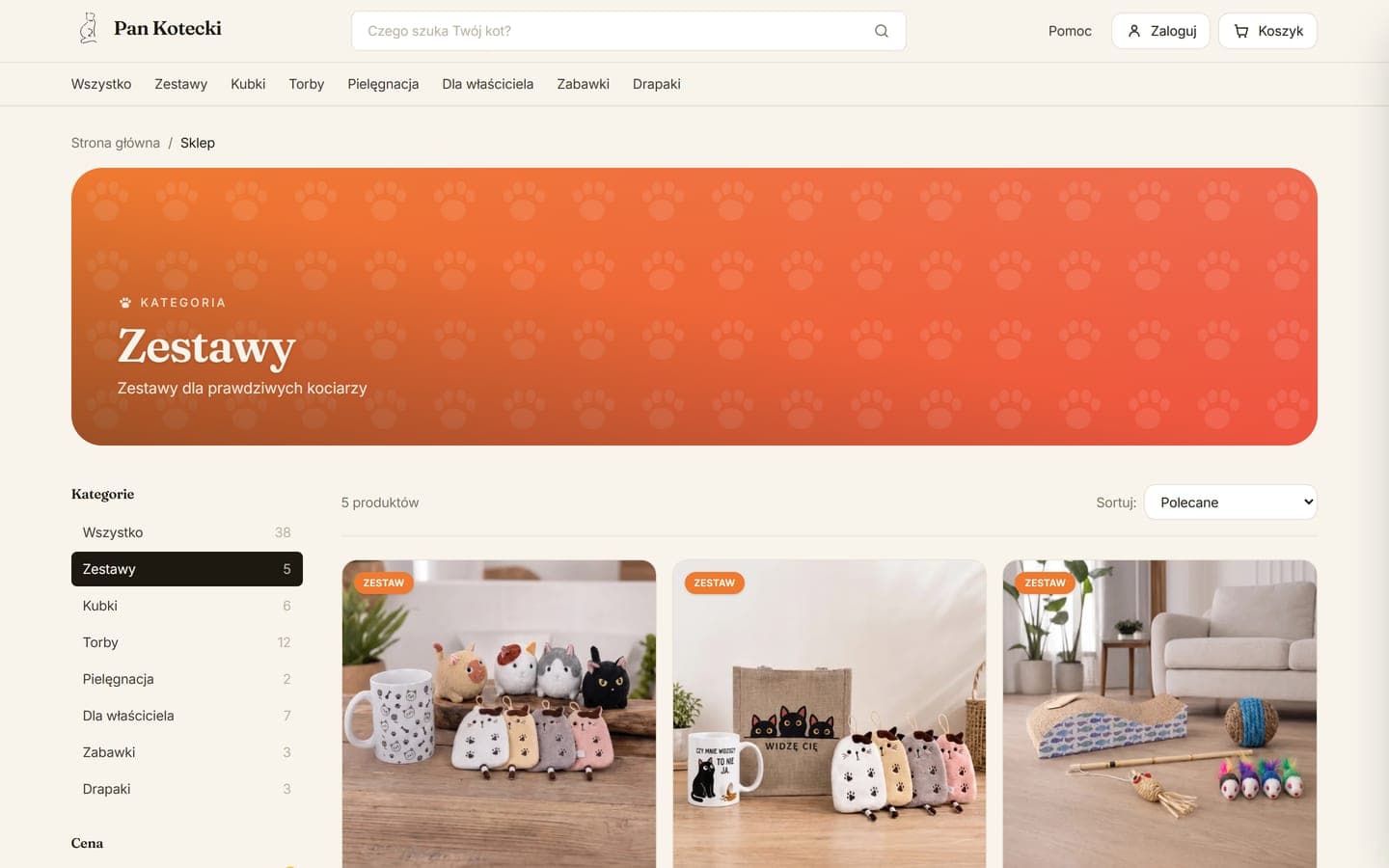
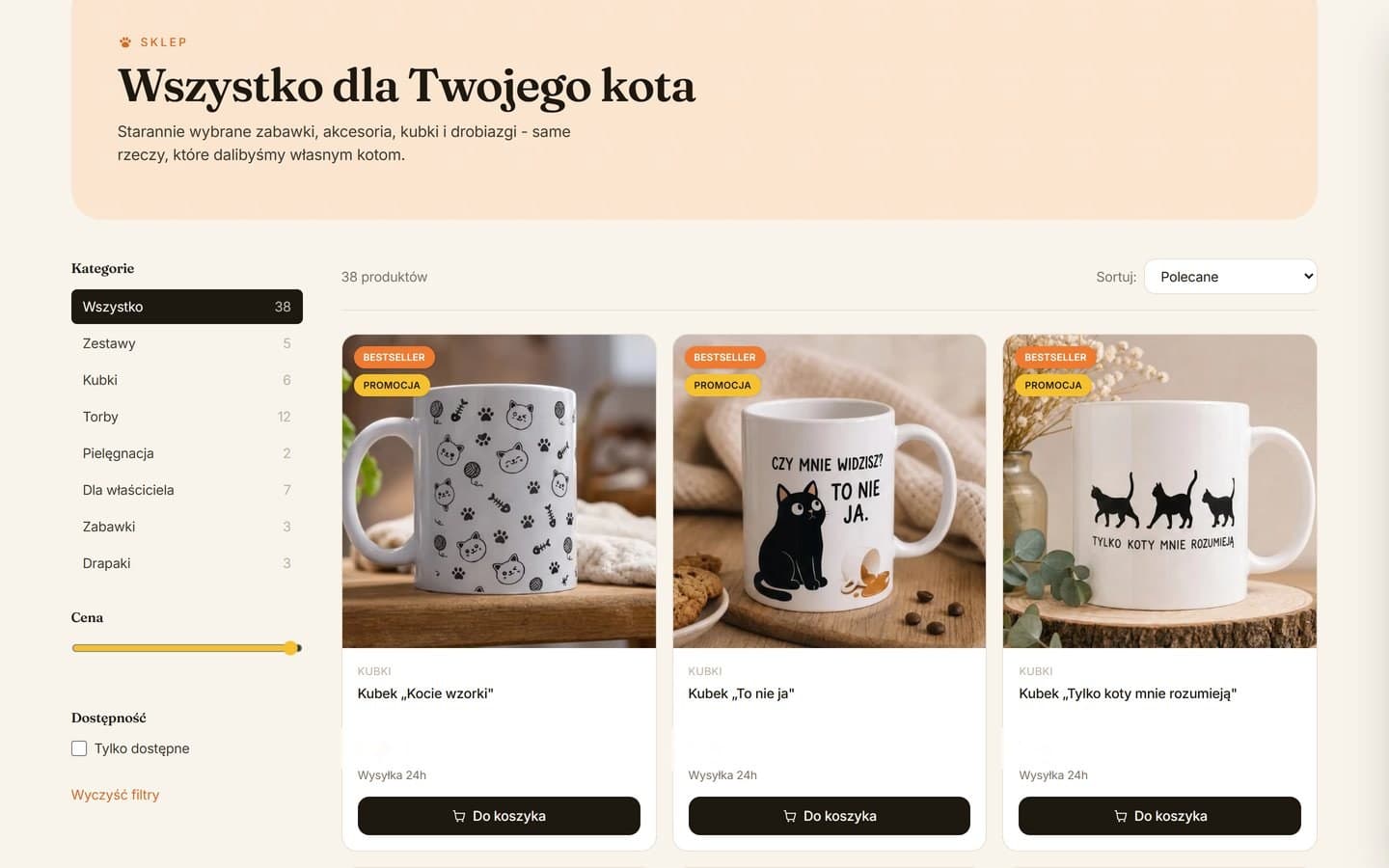
The catalogue splits the range into categories with product counts, with a price slider, an availability filter and sorting by recommendation, sale, price or name. The filters fold into a drop-down panel on phones, and the search in the header looks through product names and short descriptions.
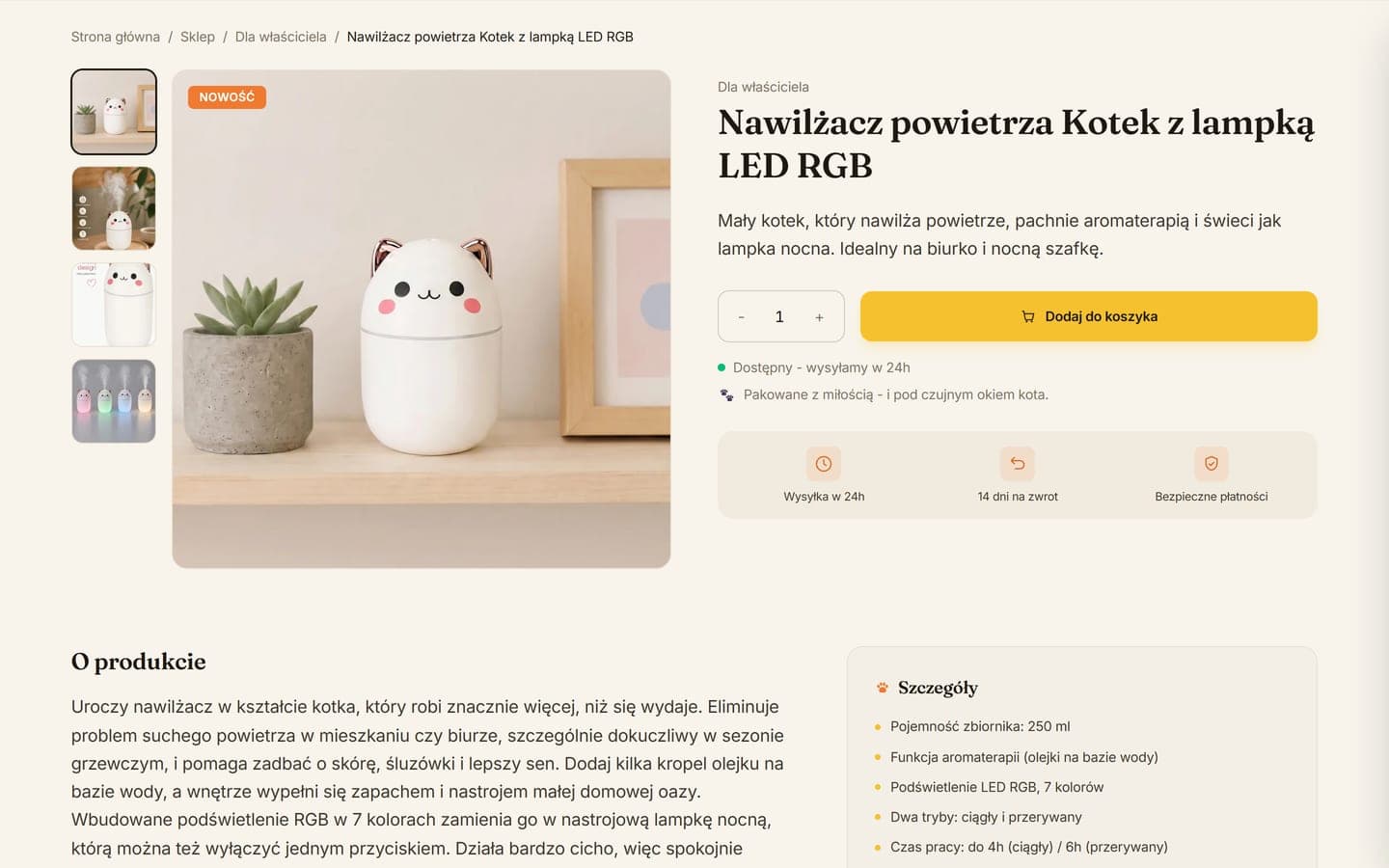
A product page has a photo gallery, a quantity counter and the despatch time, with other products from its category below the description. Catalogue tiles show bestseller, sale and new labels, the old price struck through and a quick add-to-basket button. Product addresses are readable, the sitemap covers every product page, and structured data covers the shop and each product with its price and availability.
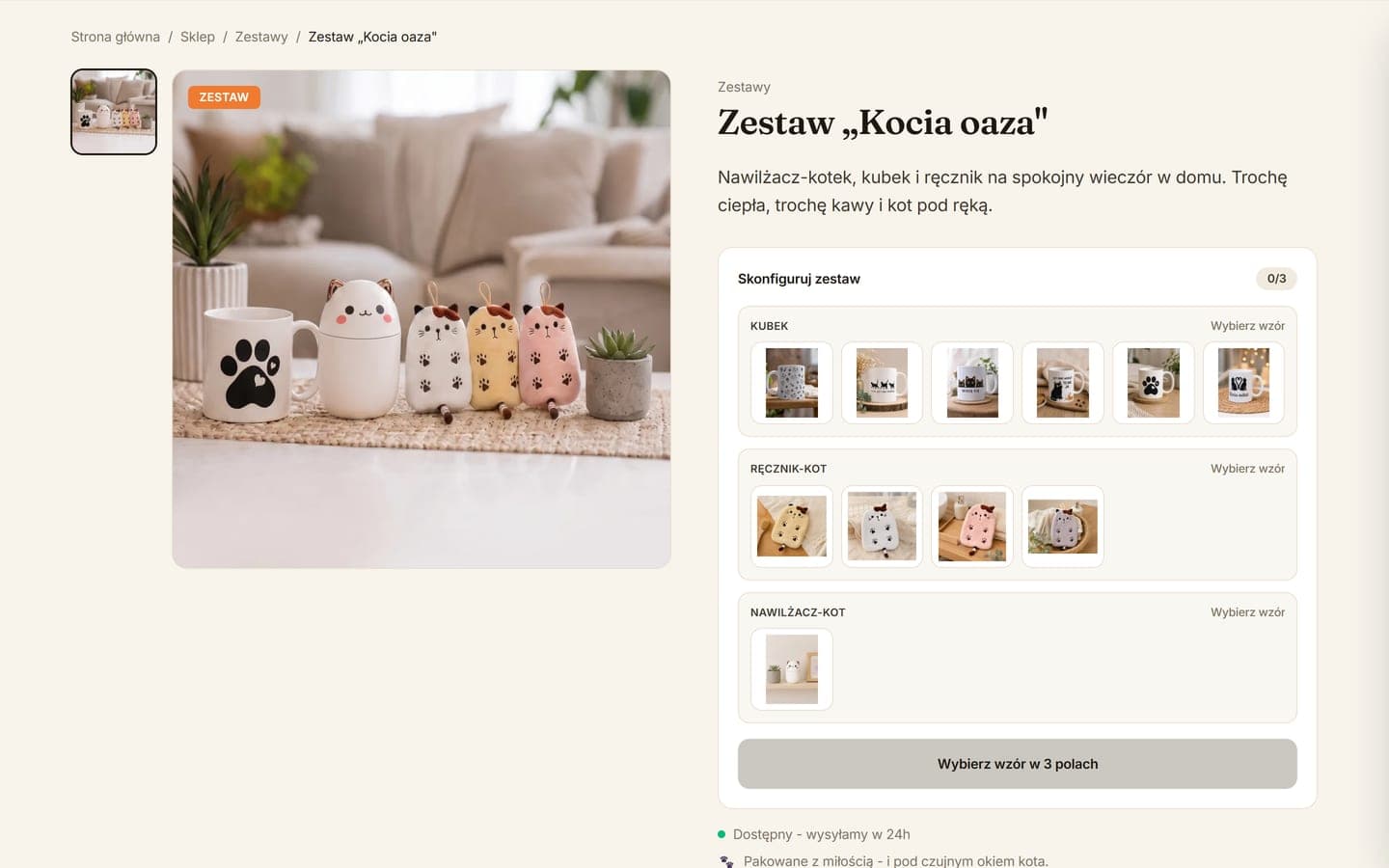
Bundles have a configurator. In it the shopper chooses a pattern for every item in the set or several pieces from one list. A counter shows progress, and while a choice is missing, the add-to-basket button stays locked and says how many fields are left. The set price is fixed, and the shop will not accept a bundle with an empty field.
The owner builds a new bundle in the admin app on the phone, choosing its parts and the allowed patterns. Product photos are uploaded from the phone, and the server resizes them and saves them in the light WebP format.
Checkout without an account
Buying without an account is the checkout default. An account is optional and needs no password, as a sign-in link arrives by email. For a signed-in shopper the checkout fills in details and saved addresses, and the account shows orders with their status and tracking number.
Delivery options are an InPost parcel locker, an InPost courier and collection in person, and the locker is picked on the carrier's map. The form fields keep entries correct. The phone field takes nine digits and shows how many are missing, the postcode hyphen goes in by itself, and an email typo brings a suggestion.
The Stripe payment form is embedded in the checkout, in Polish and in the shop's colours, with card, BLIK and Przelewy24. The shop works out the amount due, including the discount and delivery, so nobody from outside can swap the price.
A discount code goes in at checkout, and the owner sets a percentage or fixed discount, a minimum order value and a usage limit. A bar in the basket shows how much is left to reach free delivery.
From payment to parcel
An order counts as paid only once the payment provider confirms it. The shopper then gets an email with the products, the chosen bundle patterns and the delivery method, and the owner gets a phone alert.
Stock is taken off the moment an order is placed and returns to sale after two hours without payment. The owner creates the InPost shipment in the admin app with no address to retype, including several parcels for one order.
When the owner marks an order as delivered, the shop emails the shopper a personal link asking for a review. Only buyers can review, and only products they bought, each review carrying a verified purchase badge. The stars also go into the data for search engines.
Built in Next.js and launched on Vercel, the shop hands prices, payments, emails and shipments to a separate order server on Render. Products, orders and photos live in a Supabase database, which the owner's admin app also uses.
Signing up for the newsletter takes consent and an email confirmation, after which a discount code arrives. The Meta pixel switches on only after consent in a banner with buttons for essential cookies only or for accepting all. The terms, privacy policy and a returns page with a model withdrawal form each have a page of their own.
Selected screens

Planning a similar project? We give the exact price and timeline after a short conversation.
Ask for a quoteNext project
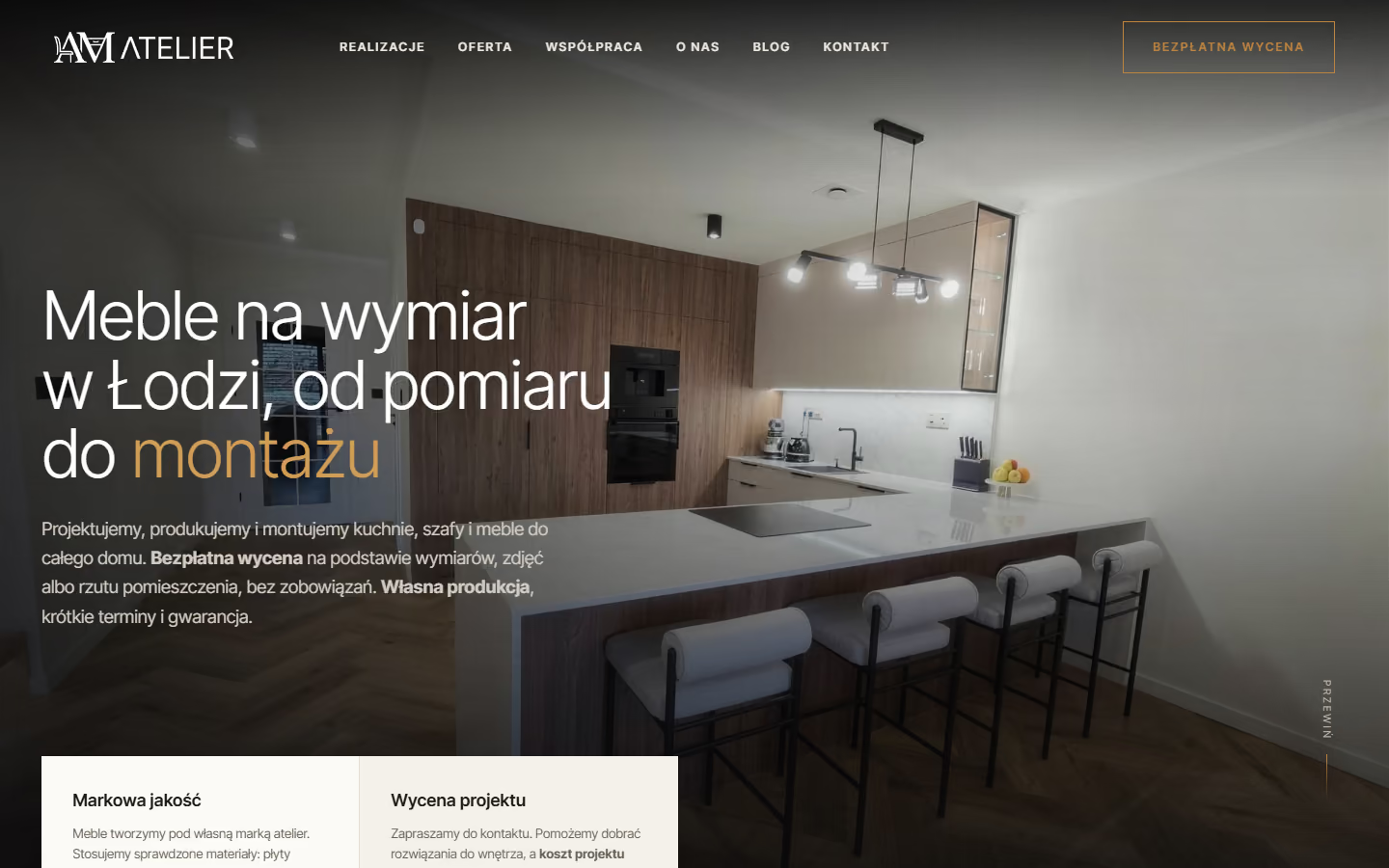
atelier24
Quote requests reach the workshop with the scope of the order and the dimensions, and made-to-measure kitchens and furniture have their own pages for Widzew and Dąbrowa.